Insights
Our own diagnostic devices: first tests with ForkScan Pro on our own Linux
Published on
We are planning our own diagnostic devices for workshops and service vehicles: tablets that start straight into ForkScan Pro, without Android and without other apps. The test device and first implementation is a Samsung Galaxy Tab 2 10.1 running our own Linux. What it can do today, what sets a device of our own apart and how things could continue.
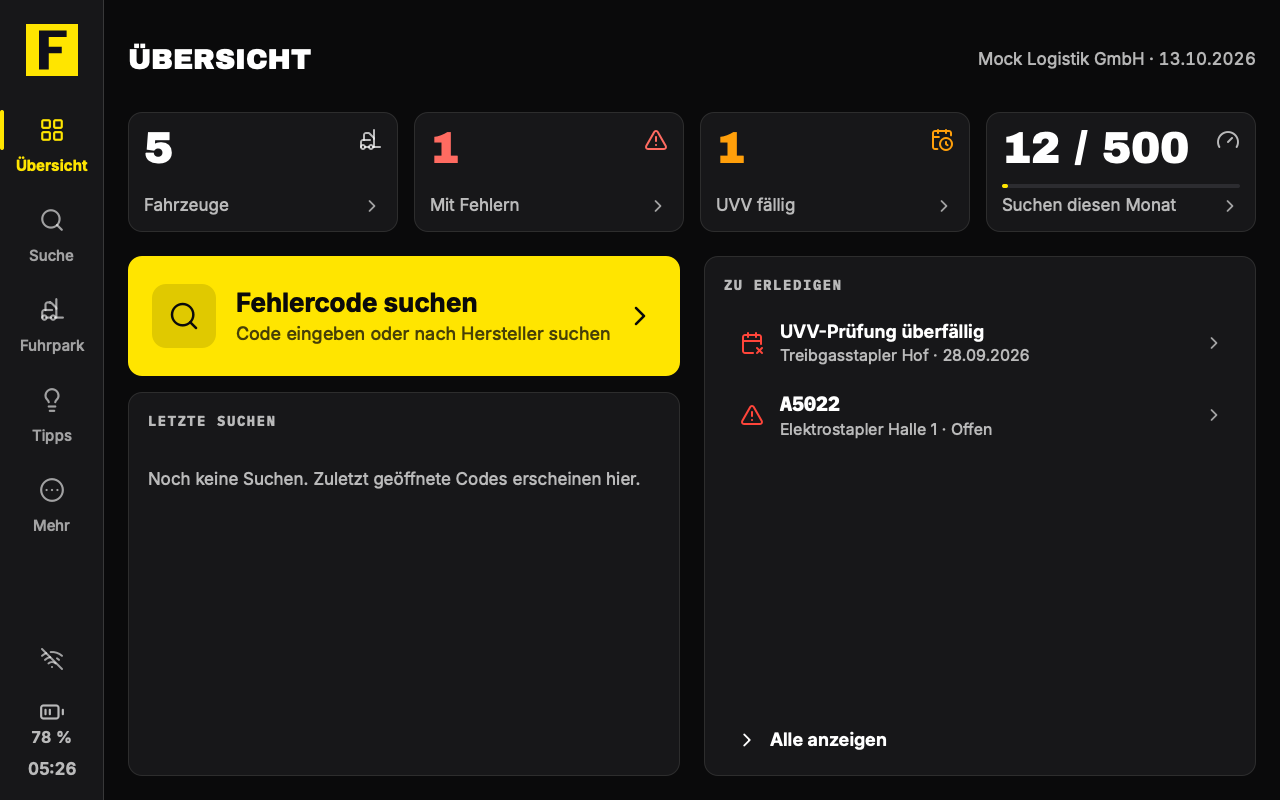
Devices of our own for workshops and service vehicles
We are planning our own diagnostic devices for ForkScan Pro: tablets for the workshop and for service vehicles that start straight into the error code search when switched on. So that we know what matters in daily work, we are building the device as a test first. The first implementation runs on a Samsung Galaxy Tab 2 10.1 with a lean Linux system of our own instead of Android.
This tablet is a prototype on older hardware, not the later product. The actual device is to run on a current tablet; what we build and learn now goes with it.
Why a tablet from 2012?
The Galaxy Tab 2 10.1 came onto the market in 2012, and there have been no Android updates for it for years. That is exactly what makes it a good test: memory and computing power are scarce, and every weakness of the system shows at once. And it shows along the way that an older device can become useful again with a well-maintained system.
What sets a ForkScan device apart
A device that exists only for ForkScan Pro offers more than an app on any tablet. This already applies to the prototype today:
- Starts straight into ForkScan Pro: no Android, no other apps, no distraction. You need neither an app store nor a Google or Apple account, only your ForkScan account.
- Made for the workshop: a large screen in landscape format, large buttons designed for use with touch-capable work gloves, and an on-screen keyboard of our own in German and English.
- Without a network, too: with a plan that includes fleet management, the released error codes for your fleet are on the device as an offline pack.
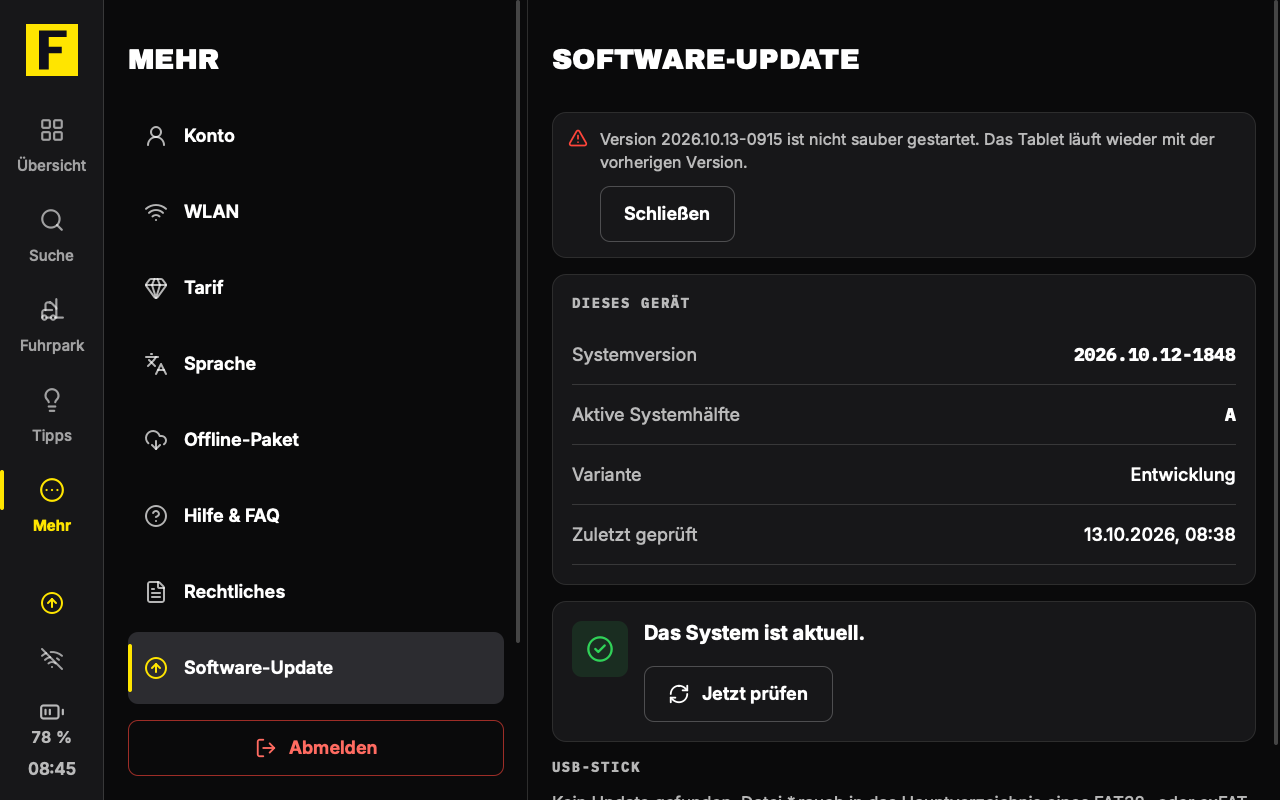
- Updates centrally through the ForkScan portal, signed by us. If a new version does not start cleanly, the device returns to the previous version and remains usable.
- No forced updates of a third-party operating system: the device runs exactly the version we have tested and released.
- Privacy: no advertising trackers, no analytics services, no third-party account. The app sends your data only to ForkScan Pro.
- Longer-lasting hardware: even a tablet from 2012 becomes a useful tool again instead of lying in a drawer.
Also planned:
- Planned: the device belongs to the company or a service vehicle rather than to one person; nobody has to use their private smartphone for it.
- Planned: a barcode and QR scanner, connected via USB.
- Planned: diagnosis via the CAN bus right at the truck, as an add-on module. The drivers for CAN adapters are already part of the system; the diagnosis itself has not been built yet.
What the prototype can do today
On 12 October 2026 the tablet started with its own system for the first time; on 13 October it installed its first update through the ForkScan portal. It takes its texts from our apps for iOS and Android, in German and English. Signed in to the real ForkScan service, the following works today:
- Sign-in with the ForkScan account, as in the apps and the customer portal
- Error code search: enter a code or search by manufacturer and device type, with code structure, description and check steps
- Fleet with status, inspection dates and documented errors; adding and editing vehicles, depending on the plan
- Practical tips from the community, with voting and reporting
- Offline pack: without a connection, the tablet answers searches from the pack and states how current it is
- Searching for and connecting to Wi-Fi networks right in the interface
- Time from the network or set by hand, brightness via the volume buttons, display dimming and protection when the battery is low
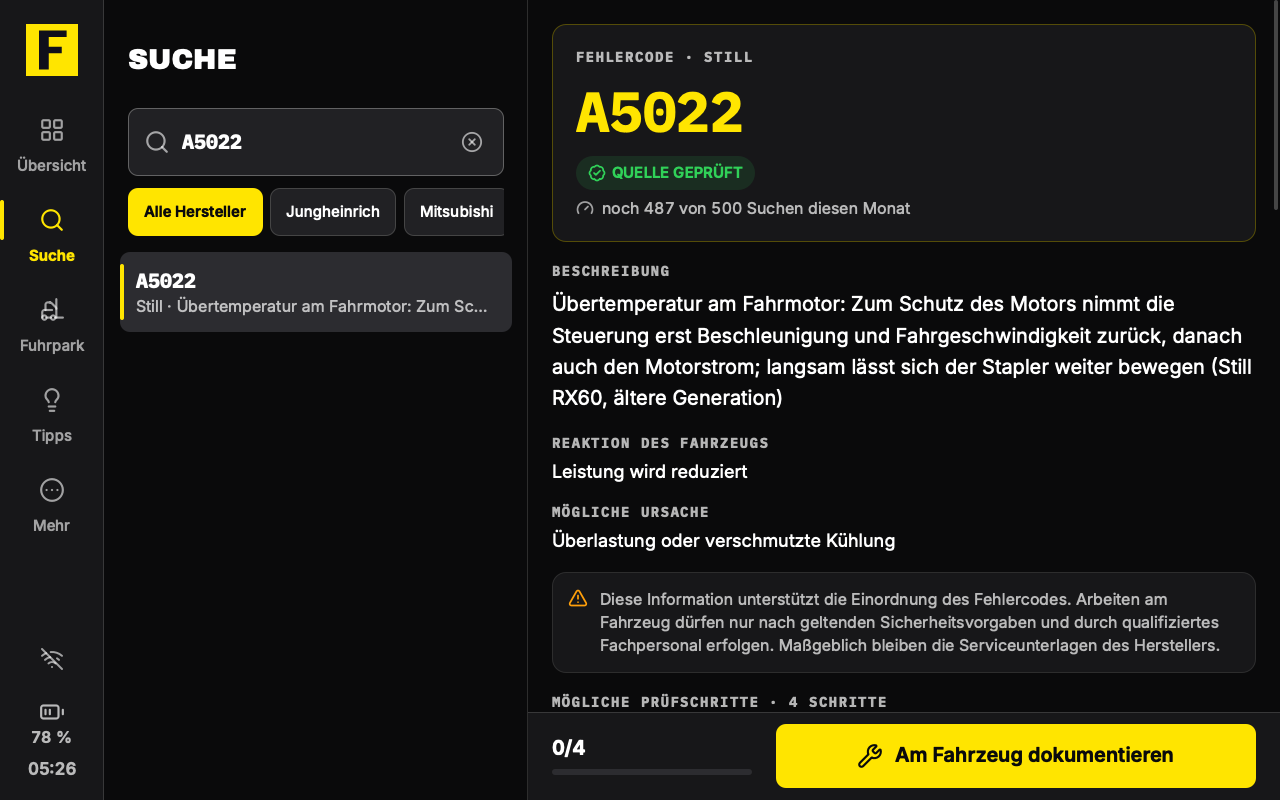
The fleet shows list and details side by side: operating hours, status, the last and the next inspection and documented errors. What you change on the tablet ends up in the customer portal, just as with the apps.
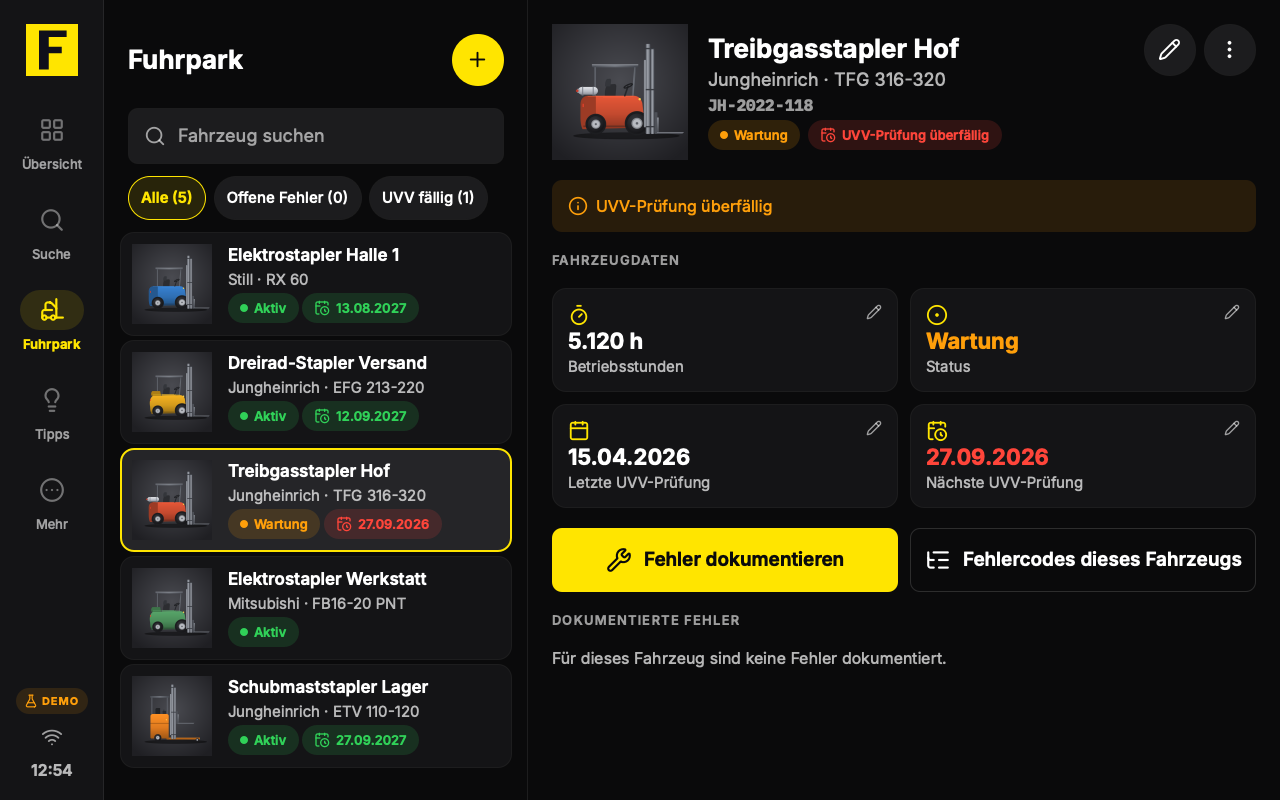
If the connection drops, the tablet keeps searching in the offline pack. Every answer from it is marked with the date of the pack, so you know how current it is.
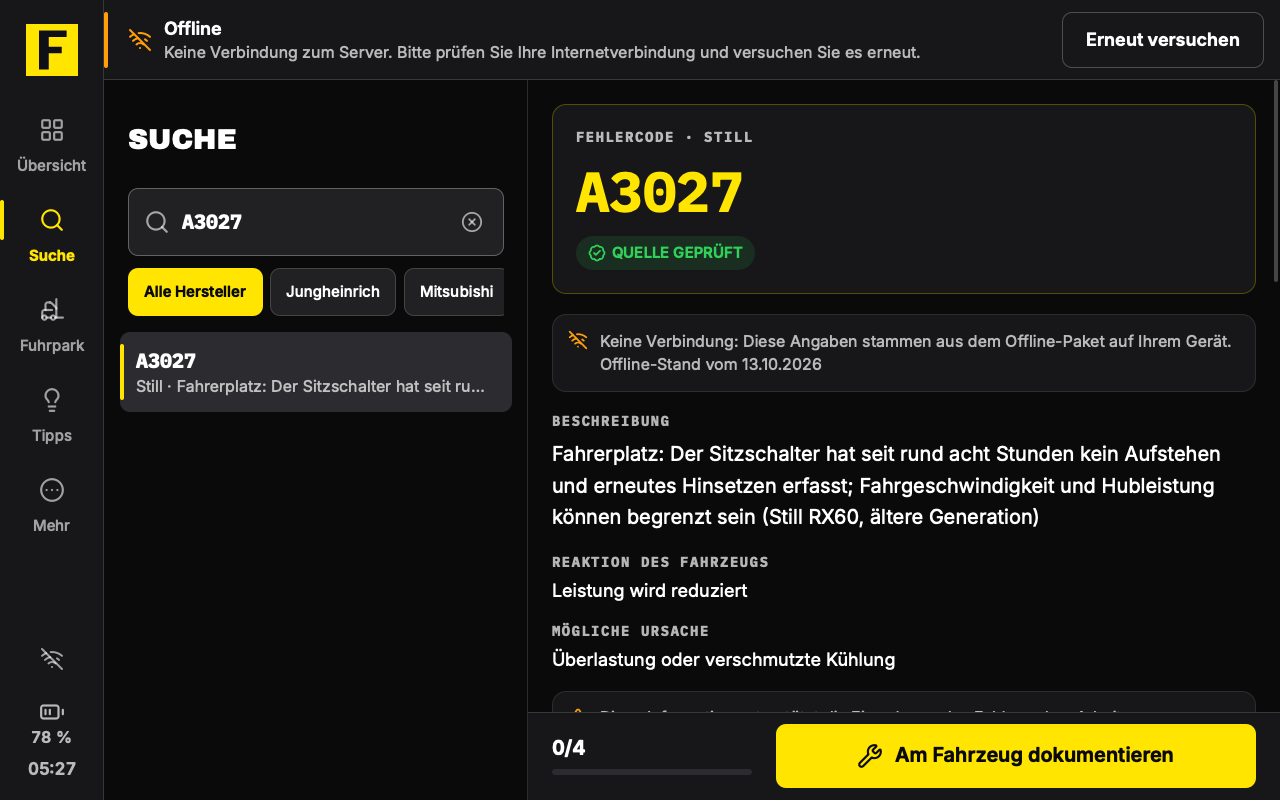
Updates through the portal, with fallback
We distribute new versions of the system through the ForkScan portal: first to individual pilot devices, then step by step to more devices. The tablet shows when an update is available and lists what is new. The new version is installed next to the running one and only becomes active after a restart. Without a network, an update also works from a USB stick.
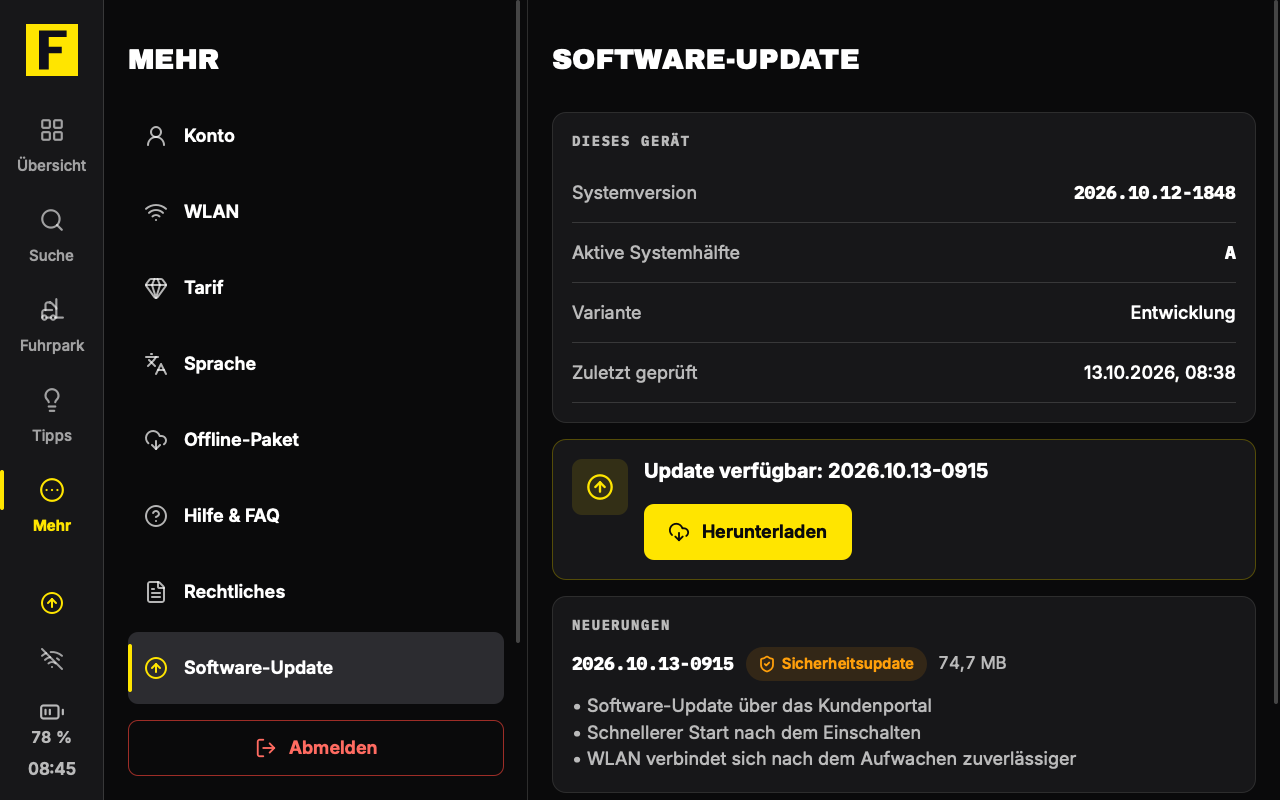
If a new version does not start cleanly, the tablet returns to the previous version and says so.
Still being tried out
The prototype shows what a device of our own can do, and also where older hardware reaches its limits. Some things are still being tried out, such as restarts after an update.
- The built-in camera can no longer be used with current Linux; for barcodes and QR codes, a USB scanner is therefore planned.
- With 1280 × 800 pixels on 10.1 inches, text looks softer than on current devices.
- This device has no mobile data and no automatic brightness.
Next come further device tests, including the hardware watchdog, which restarts the device by itself if the system ever hangs. After that comes the move to a current tablet, then with mobile data as well. We deliberately do not name a date for this.
Rent or buy: how things could continue
Whether the prototype becomes a device for many workshops also depends on you. If there is demand, we are thinking of tablets with ForkScan Pro preinstalled, to rent or to buy: for rent, for example including the software and replacement in case of a defect; to buy, for those who prefer to own the device. There are no prices or dates for this yet; whether and how we offer such devices depends on your feedback.
Would you like to test such a device, or are you interested in renting or buying one? Tell us what you need: how many devices, for the workshop or the service vehicle, and for which vehicles. You can already test ForkScan Pro itself in your daily work today, as a pilot company.